
Recastia’s PDF to video generator turns PDFs into video presentations, with a choice of templates and three modes for displaying pages with or without narration.
Hong Kong, Hong Kong (PRUnderground) October 26th, 2026
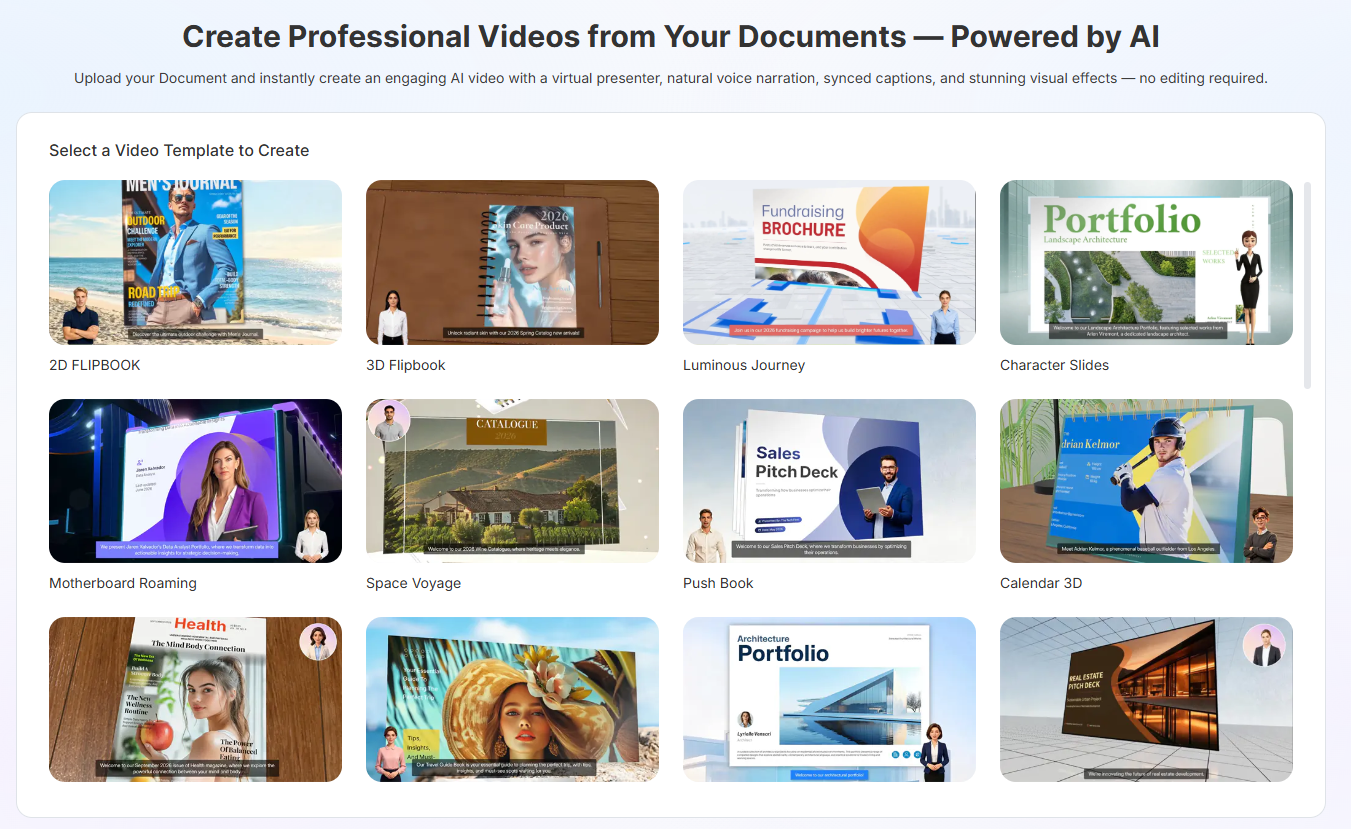
Recastia, a content repurposing platform, launches a PDF to video generator that turns PDF files into MP4 videos. Users choose how the pages appear and whether to add spoken explanations, creating videos from existing catalogs, project portfolios, and other PDFs.
Creation begins with a choice of video templates. Users preview examples, select a style, and upload one or more PDFs. When uploading several files, users can adjust the file order before the PDF to video generator merges the content. They then choose a generation mode and select the pages to include, leaving out material they do not want in the video.
Three modes determine how those pages are presented: Minimal, Easy, and Advanced. Minimal Mode displays pages automatically without voiceover, with controls for how long each page appears. Easy Mode uses one continuous narration script for the video, while Advanced Mode provides a separate script field for each selected page.
Both narrated modes accept manually written scripts or editable voiceover scripts generated from the PDFs with AI Copywriting. Users choosing AI Copywriting select the language for the generated scripts. They then choose an AI voice to read the text, with multilingual voices supporting narration in the script’s language.
Users can add an on-screen presenter by choosing from an avatar library that includes realistic figures, cartoon characters, and circular portraits. They can adjust the chosen avatar’s size and position, or leave the avatar out entirely. Optional subtitles display the narration as text, with controls for subtitle style, placement, and read-along highlighting.
The PDF to video generator offers templates such as 3D Quick Slideshow and Light Rail Showcase, which users can change before generation. Other options include a landscape (16:9) or portrait (9:16) aspect ratio and background music from the library or an uploaded audio file.
For a portfolio presentation, users might combine an overview PDF with selected project documents to introduce their work. They can omit internal notes and focus on the projects they want to discuss, adding commentary about design decisions or project outcomes.
After generation, users can edit the video’s title and description and download the MP4 for playback in presentations or on displays. They can also share the video through a unique link, embed it on a website, or place its QR code on brochures and posters for people to scan.
“Our PDF to video generator helps users turn existing documents into videos for product introductions, training, and project presentations,” said Winston Zhang, CEO of Recastia. “We also offer a PDF to flipbook converter for creating online catalogs, brochures, and other publications with page-turning effects.”
To learn more about the PDF to video generator, visit Recastia.
About Recastia
Recastia provides content repurposing tools that turn documents and images into videos, flipbooks, presentations, websites, AI chatbots, and 3D exhibitions. The platform helps users reuse existing content for online publishing, training, product communication, and visual displays.


