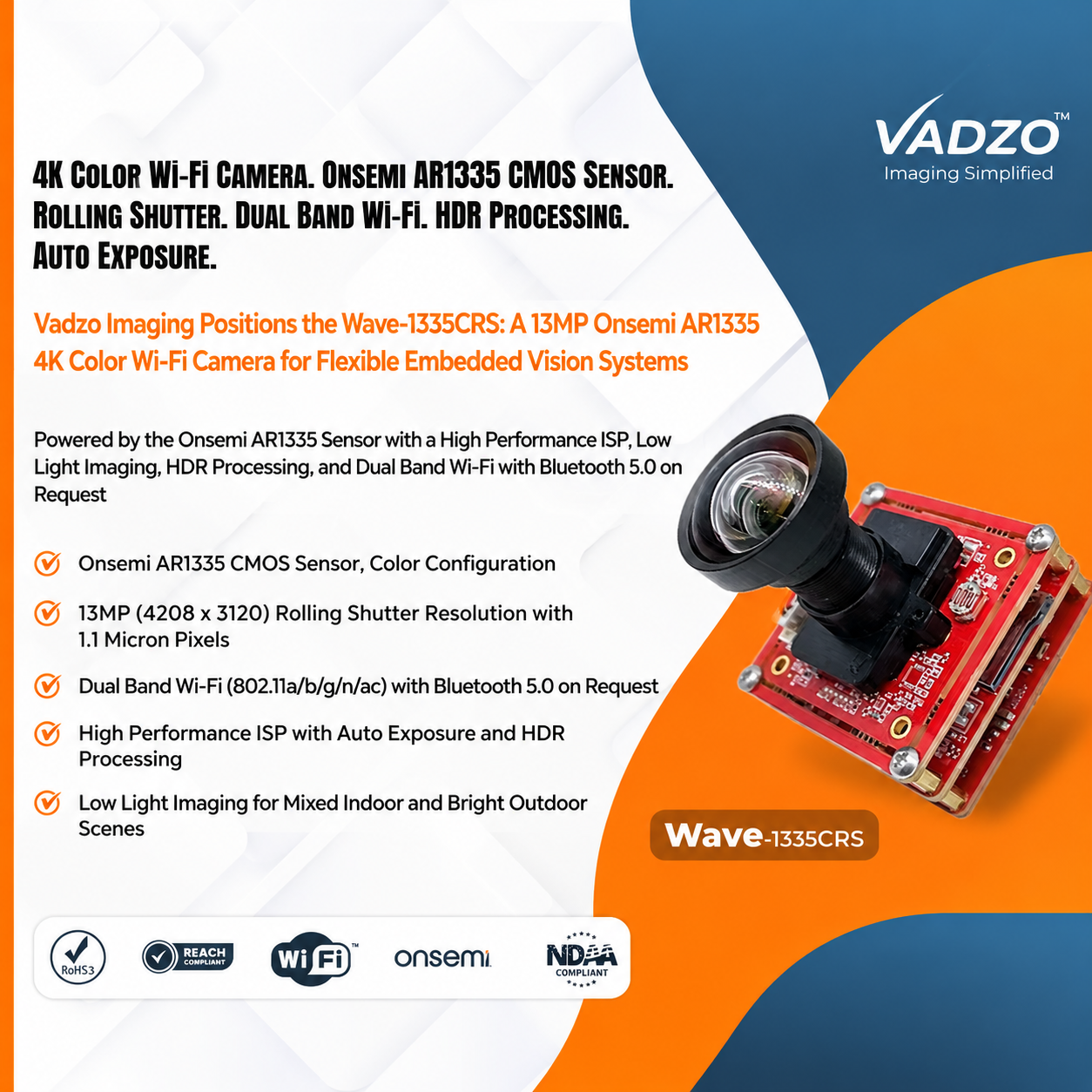
The Wave-1335CRS is a 13MP AR1335 4K Color Wi-Fi Camera featuring dual-band connectivity, HDR processing and auto exposure for flexible embedded vision systems.
FORT WORTH, TX, UNITED STATES, November 3, 2026 /EINPresswire.com/ — Vadzo Imaging, a provider of embedded vision camera products for OEMs and system integrators, positions the Wave-1335CRS as a 4K Color Wi-Fi Camera for flexible embedded vision systems. Built on the Onsemi AR1335 sensor and part of Vadzo’s Wi-Fi camera portfolio, the Wave-1335CRS combines a 13MP rolling-shutter sensor, a high-performance ISP, low-light imaging, HDR processing, auto exposure, and dual-band Wi-Fi, with Bluetooth 5.0 available on request.
Designed for wireless embedded vision applications, the camera supports integration across smart city, telematics, kiosk, medical, security, robotics, and retail systems. Its dual-band connectivity gives integrators flexibility when selecting network configurations, while its onboard ISP manages image processing for changing lighting conditions.
Why a 4K Color Wi-Fi Camera Needs Careful Radio and Lighting Design
Removing the cable changes more than the camera’s physical installation. Unlike a wired camera with a dedicated connection, a wireless camera shares radio airtime with other devices on the network. Its performance depends on the selected frequency band, distance from the access point, surrounding structures, and network traffic. Interference from neighboring networks or physical obstructions can affect video consistency, making radio planning an important part of system design.
Video bandwidth is another consideration. A 4K stream requires sufficient network capacity, and the usable throughput of a wireless connection is lower than its advertised maximum data rate. Multiple cameras connected to the same access point also share available airtime. Integrators should therefore estimate the bandwidth required by each camera, consider the number of connected devices, and allow sufficient capacity for network traffic and retransmissions.
Lighting presents a separate challenge. Wireless cameras are often installed in shop windows, doorways, loading bays, and cabinets, where bright daylight and darker interiors may appear in the same frame. Standard exposure settings can lose detail in either bright or dark regions. Low-light scenes can also increase image noise, making sensor sensitivity, lens selection, and image processing important.
Installation and network configuration complete the design. A wireless camera must connect securely to the network, and configuring credentials can be difficult on devices without a screen. Testing the camera at its intended installation position, under different lighting and network conditions, helps identify limitations before wider deployment.
How a 4K Color Wi-Fi Camera Balances Radio, Sensor, and ISP
The Wave-1335CRS is built on the Onsemi AR1335, a 13MP (4208 × 3120) color rolling-shutter sensor with a 1/3.2-inch optical format and 1.1µm back-illuminated pixels. Back-illuminated sensor technology improves light collection by positioning the photodiode to receive incoming light from the rear of the silicon. The 13MP resolution also provides sufficient pixel count for 4K output, which uses approximately 8.3 million pixels at 3840 × 2160.
An onboard high-performance image signal processor (ISP) converts raw sensor data into a processed color image. It manages auto exposure and HDR processing to help the camera respond to changing brightness, including scenes that combine outdoor daylight with indoor lighting. The sensor’s higher resolution also provides room for cropping selected image regions while retaining useful detail.
Dual-Band Wi-Fi and Optional Bluetooth 5.0
The camera supports dual-band Wi-Fi across the 2.4GHz and 5GHz frequency bands, with 802.11a/b/g/n/ac compatibility. The 2.4GHz band generally offers greater coverage and better wall penetration, but it is shared by many wireless devices and has fewer available channels. The 5GHz band provides additional channel options and can offer higher throughput, although its coverage is generally shorter and its signals are more affected by walls and other obstructions.
Dual-band connectivity allows integrators to select the band according to the camera’s location and network requirements. Bluetooth 5.0 is available on request and can support setup tasks such as transferring network credentials from a nearby device. Bluetooth is not used to transmit the camera’s video stream, which travels over Wi-Fi. Customers requiring Bluetooth should specify it when placing an order.
Planning Wi-Fi Airtime for 4K Video
A simple bandwidth example illustrates why network planning matters. If a compressed 4K video stream uses approximately 25Mbps and an access point provides 250Mbps of practical throughput, around ten camera streams would consume that capacity before allowing for other network traffic and retransmissions. A deployment targeting six or seven cameras may provide more headroom in this illustrative scenario.
Actual bandwidth requirements depend on compression settings, frame rate, image complexity, access point performance, distance, and interference. Integrators should measure throughput at the intended installation locations and test the expected number of connected cameras. Where network capacity is limited, reducing resolution or frame rate at selected positions can help manage overall airtime.
HDR Processing and Auto Exposure
The Wave-1335CRS combines its sensor with an onboard ISP to manage changing lighting conditions. Auto exposure adjusts exposure time and gain as scene brightness changes, while HDR processing helps retain information in brighter and darker regions of the image. These capabilities can support installations such as shop entrances, windows, and loading areas, where lighting conditions vary throughout the day.
In very dim environments, increasing gain can introduce image noise. A suitable lens with a wide aperture and adequate illumination can help improve image quality. Integrators should evaluate HDR and exposure settings using their actual scenes and confirm the available operating modes and frame rates against product documentation.
Wireless Installation and Network Considerations
Antenna placement can influence wireless performance. Metal enclosures, poles, and cabinet doors may block or reflect radio signals, so the camera’s mounting position and enclosure design should account for the antenna’s location. Integrators should also evaluate signal strength and interference at the actual installation point rather than relying only on measurements taken near the access point.
Network security is equally important. Camera deployments should use supported Wi-Fi security configurations and appropriate network separation where required. Operators should also establish access controls for recorded or transmitted video and consider applicable privacy requirements before deployment. Evaluating the complete installation in advance helps ensure that the wireless connection and image performance meet the system’s requirements.
Product Overview
The Wave-1335CRS is a 13MP color Wi-Fi camera built on the Onsemi AR1335 sensor and positioned for flexible embedded vision systems. As a 4K HDR Wi-Fi Camera, it keeps detail in high-contrast scenes, and as a 13MP Rolling Shutter Wi-Fi Camera, it offers high resolution at reasonable cost. The 4K Low Light Wi-Fi Camera designation covers its back-illuminated pixels and the ISP’s noise handling, and the 13MP Auto Exposure WiFi Camera designation covers its automatic exposure control. The module combines the sensor, a high-performance ISP, and a dual-band Wi-Fi interface. It also serves as an AR1335 Color Wi-Fi Camera, a 13MP Color Wi-Fi Camera, an AR1335 Dual-Band Wi-Fi Camera, a 4K Rolling Shutter Wireless Camera, an AR1335 HDR Wi-Fi Camera, and an AR1335 High Dynamic Range Camera for designs that need a wireless link. It is also an Embedded Vision Wi-Fi Camera for engineers who want a finished image and a standard radio in one module.
Key specs: 13MP (4208 x 3120) Max Resolution | Onsemi AR1335 1/3.2 inch Sensor Format | 1.1 micron Pixel | Color with Rolling Shutter | Dual Band Wi-Fi (802.11a/b/g/n/ac), Bluetooth 5.0 on Request | S-Mount (M12) Optics
Key Capabilities of the 4K Color Wi-Fi Camera
Color Imaging and Rolling-Shutter Readout
The Wave-1335CRS uses the color version of the AR1335 sensor to provide images for applications involving people, products, signage, and general monitoring. Its rolling-shutter architecture supports high-resolution image capture, although fast-moving subjects or camera vibration can introduce image skew. Applications involving rapid motion should be evaluated carefully, and integrators with demanding motion requirements can discuss global-shutter alternatives with Vadzo Imaging.
High-Performance Image Signal Processor
The onboard ISP processes sensor data within the camera module, providing a finished image to the receiving system. This can simplify integration for projects that do not require custom raw-sensor processing. Integrators requiring raw image data or specialized sensor tuning should discuss the appropriate configuration with Vadzo Imaging.
Low-Light Imaging
The AR1335’s back-illuminated pixels support light collection, while the ISP manages image processing as gain changes. This makes the camera suitable for evaluation in dim interiors, evening scenes, and shaded entrances. Lens aperture and available illumination remain important factors in achieving suitable image quality.
Dual-Band Wi-Fi and Optional Bluetooth
The dual-band Wi-Fi interface gives integrators the choice of 2.4GHz or 5GHz connectivity according to coverage and throughput requirements. Optional Bluetooth 5.0 can assist with initial configuration on devices without a display. Before deployment, teams should survey the intended locations for signal strength, interference, and access point capacity.
HDR Processing and Auto Exposure
HDR processing helps retain image information in scenes containing bright and dark areas, while auto exposure adjusts image brightness as lighting changes. As an HDR Wi-Fi Camera Module and a High Dynamic Range Wi-Fi Module, the module suits positions where the light is hard to control. These features can support camera installations in locations such as entrances, shop windows, and loading bays. Integrators should compare the available settings using representative scenes to identify the most suitable configuration.
Wireless Imaging Across Seven Applications
Smart City Solutions
Smart city systems often install cameras on poles, shelters, and kiosks where running network cables can be difficult or costly. The Wave-1335CRS provides a wireless camera option for these installations, with HDR processing for scenes containing changing outdoor lighting. Integrators should consider enclosure protection, antenna placement, and the network conditions at each installation point.
Telematics and Fleet Management
Vehicle depots and fleet facilities experience changing lighting between outdoor yards, garages, and covered areas. The camera’s auto exposure and color imaging can support monitoring applications across these environments. Vehicle-related deployments should be evaluated for power requirements, vibration, temperature conditions, and suitable mounting arrangements.
Kiosk and Digital Signage
Kiosks and digital signage systems are frequently positioned near windows and entrances, where bright backgrounds can affect image visibility. The Wave-1335CRS combines color imaging and HDR processing for these environments, while wireless connectivity can simplify camera placement within compatible kiosk designs.
Medical Devices and Patient Care
Medical and laboratory equipment can benefit from compact camera integration and flexible installation layouts. The Wave-1335CRS can be evaluated in carts, instruments, and connected equipment where wireless communication is appropriate. Medical device manufacturers remain responsible for validating the finished device’s performance, network security, and regulatory requirements.
Security and Surveillance
Entrances, stockrooms, and temporary installations may have limited cabling options and changing lighting conditions. The camera’s low-light imaging, color output, and dual-band Wi-Fi provide features for evaluation in these environments. Integrators should assess network coverage and applicable privacy requirements before deployment.
Automation and Robotics
Factories and mobile platforms often require camera systems that can adapt as equipment and production layouts change. The Wave-1335CRS can be evaluated in automation cells, carts, and mobile platforms where wireless connectivity supports flexible placement. Applications involving rapid movement should also consider the limitations of rolling-shutter imaging.
Retail Automation Solutions
Retail environments frequently change their layouts, making wireless camera placement useful for monitoring shelves, counters, and entrances. The Wave-1335CRS combines color imaging, HDR processing, and dual-band connectivity for these applications. Retail operators should evaluate wireless capacity, antenna placement, and privacy requirements before expanding deployments.
Frequently Asked Questions
Q: Why choose a dual-band Wi-Fi camera?
A: The 2.4GHz band generally provides longer coverage and better wall penetration, while the 5GHz band can offer higher throughput and additional channel options. A dual-band camera gives integrators flexibility to select the appropriate band for each installation. Actual performance depends on the site layout, interference, and access point capacity.
Q: How much Wi-Fi bandwidth does 4K video need?
A: Bandwidth depends on compression settings, frame rate, and scene complexity. For example, a compressed stream using 25Mbps would consume a significant portion of an access point’s available throughput when multiple cameras are connected. Integrators should measure practical network capacity, allow headroom for other traffic, and test the intended camera count before deployment.
Q: What does Bluetooth add to a Wi-Fi camera?
A: Bluetooth 5.0 can support initial setup tasks, such as transferring network credentials from a nearby phone or device. The camera’s video is transmitted over Wi-Fi, not Bluetooth. Bluetooth 5.0 is available on request for the Wave-1335CRS and should be specified when ordering.
Q: How does HDR processing help a wireless camera?
A: HDR processing helps retain image information in scenes containing bright and dark regions, such as entrances and windows with strong outdoor light. The Wave-1335CRS combines HDR processing with auto exposure to support changing lighting conditions. Integrators should test the settings with their actual scenes to determine the most suitable configuration.
Q: Why choose Vadzo Imaging for a 13MP Color Wi-Fi Camera?
A: Vadzo Imaging offers the Wave-1335CRS with dual-band Wi-Fi, optional Bluetooth 5.0, an onboard high-performance ISP, HDR processing, and auto exposure. Integrators can also discuss lens selection, firmware customization, and enclosure design for their projects. Evaluation options allow customers to assess the camera on their intended network before moving to volume production.
Availability
The Wave-1335CRS 4K Color Wi-Fi Camera, built on the Onsemi AR1335 sensor, is available for evaluation and production orders. Evaluation kits include the camera, a lens, and platform documentation, with no minimum order requirement.
Integrators can test both Wi-Fi bands on their own networks, compare HDR settings under different lighting conditions, and measure bandwidth requirements at their planned installation locations. Customers requiring Bluetooth 5.0, a different lens, or a specific configuration can contact Vadzo Imaging at support@vadzoimaging.com to discuss evaluation and OEM integration requirements.
About Vadzo Imaging
Vadzo Imaging is a global provider of embedded vision solutions, offering high-performance camera technologies and imaging platforms for robotics, industrial automation, UAVs, edge AI, and medical systems. Its products are designed for integration with leading embedded platforms. Vadzo supports customers through hardware customization, firmware development, and module-level drivers across Wi-Fi, USB, MIPI, GigE, GMSL2, and SerDes camera interfaces.
Alwin Vincent
Vadzo Imaging
+1 817-678-2139
alwin@vadzoimaging.com
Visit us on social media:
LinkedIn
YouTube
X
Legal Disclaimer:
EIN Presswire provides this news content “as is” without warranty of any kind. We do not accept any responsibility or liability
for the accuracy, content, images, videos, licenses, completeness, legality, or reliability of the information contained in this
article. If you have any complaints or copyright issues related to this article, kindly contact the author above.

Media gallery